

Reducing support tickets in e-commerce is not about answering faster but preventing issues before they happen. The most effective strategy is building a system where customers rarely need to reach out. That means clear communication, smart automation, and proactive post-purchase engagement. The fewer surprises customers encounter, the fewer tickets your support team receives.
1. Strengthen Product Clarity Before Checkout
Most support requests begin with confusion about what the buyer is getting. Inaccurate product details, unclear specs, and missing shipping or return policies all create friction that leads to tickets later.
Each product page should clearly outline:
- Exact dimensions, color options, and materials
- Real photos or short clips showing use in context
- Delivery timelines and region-specific restrictions
- Return, exchange, and warranty rules
Adding this transparency directly reduces “Where is my order?” or “This isn’t what I expected” messages. When shoppers have zero uncertainty, they make fewer follow-up inquiries.
2. Optimize Self-Service Resources
A strong knowledge base is more than an FAQ list. It’s a structured library of problem-solving guides that replicate your support team’s best answers.
To make it work:
- Use analytics to identify top recurring questions (refunds, tracking, login issues).
- Write concise, plain-language articles with screenshots or short videos.
- Include an on-site search bar that suggests answers before someone opens a ticket.
- Update articles monthly based on support data trends.
When designed correctly, self-service pages can deflect 30–50% of incoming tickets.

3. Automate Common Status Inquiries
More than half of e-commerce tickets are status checks. Customers want to know when their order ships, where it is, and when it arrives. Manually responding wastes time. Automated tracking notifications eliminate that workload entirely.
Integrate a post-purchase communication system that automatically sends branded, timely shipping updates through email or SMS. One of the best examples of such automation comes from shipment notification emails, which ensure customers get clear, real-time updates at every stage, from order confirmation to delivery. Consistent messaging cuts down uncertainty, builds trust, and sharply lowers ticket volume.
4. Align Operations and Support Data
Tickets often spike because internal teams aren’t synchronized. Warehouse delays, carrier errors, or stock mismatches all reach support first. Connect fulfillment, logistics, and support dashboards so agents see shipment progress, return requests, and inventory statuses in real time.
Unified visibility helps your team respond accurately and predictively. For example:
- If a shipment delay is detected, preemptively email affected buyers before they ask.
- When an item runs out of stock, update product pages immediately to prevent orders that trigger “When will it restock?” questions.
- Train support staff to recognize recurring patterns tied to specific SKUs or carriers.
This coordination ensures smoother communication and fewer post-purchase surprises.
5. Simplify Return and Refund Workflows
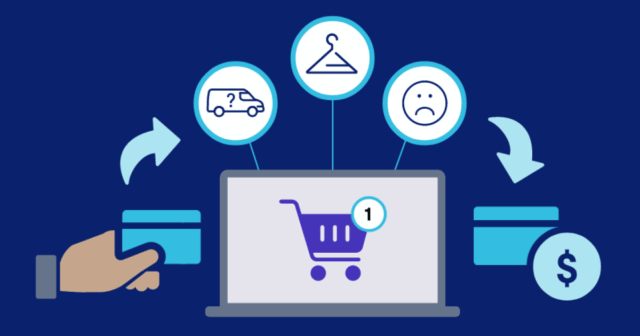
Returns generate a significant portion of support volume. The solution lies in automation and transparency.
A clear returns portal where customers can track, print labels, and follow their case reduces back-and-forth messages dramatically.
Include:
- Auto-approval for low-cost items or simple returns
- Dynamic FAQs linked directly within return confirmations
- Real-time updates when refunds are processed
The smoother the process, the less emotional friction there is, which directly lowers complaints and repeated follow-ups.
6. Improve Onboarding for New Customers
First-time buyers are the most likely to open tickets because they don’t yet know your store’s rhythm or policies. Use onboarding campaigns to teach them how everything works.
Examples:
- Send a welcome email explaining delivery timelines, support hours, and how to manage their orders.
- Offer a short tutorial or walkthrough of your account portal.
- Include quick links to your help center and returns policy right in the order confirmation email.
Educated customers require less support because they already understand what to expect.
7. Measure Ticket Drivers, Not Just Volume
Counting tickets doesn’t tell you much. You need to know why they happen. Categorize tickets by type, product, and channel. Look for clusters such as “tracking updates not received” or “wrong item in order.”
Once patterns emerge, address root causes systematically. For instance:
- If “tracking not found” is recurring, review the carrier API reliability.
- If “incorrect size” issues rise, revisit product photos and measurement charts.
- If “coupon not applied” appears often, simplify checkout logic.
Analytics-driven operations reduce repeat triggers and allow continuous process improvement.
8. Train Agents to Anticipate Questions
Even the most automated systems need skilled human support. Train your agents to provide forward-looking responses that prevent a second ticket. Instead of answering narrowly, they should always add, “You can also check this directly in your account here,” or “Here’s how to handle this next time.”
This approach converts one-off problem-solving into educational moments, reducing future support volume while improving customer satisfaction.

9. Close the Feedback Loop with Product Teams
Support tickets reveal operational blind spots. Every “defective item” or “missing accessory” complaint contains actionable product feedback. Create a weekly summary for your product and logistics teams detailing:
- The top 5 recurring product issues
- Related SKUs and shipment batches
- Estimated cost of lost revenue from repeat complaints
When these insights loop back into product design or packaging adjustments, the entire system improves. Each fix prevents dozens of future tickets.
10. Keep Communication Channels Balanced
While multi-channel support (email, chat, social) is necessary, too many entry points increase noise. Evaluate which channels bring the most valuable interactions and streamline the rest.
If chatbots handle 80% of tracking inquiries successfully, restrict live chat to order changes or high-value customers.
The goal isn’t to limit access but to funnel queries through the most efficient route for both sides. Balance automation with empathy and use humans only where judgment or reassurance is needed.
Prevention Outperforms Speed
Reducing e-commerce support tickets isn’t about faster replies or hiring more agents. It’s about making fewer things go wrong in the first place.
Clarity before checkout, automation after purchase, transparent communication, and integrated data systems form the foundation. When customers always know what’s happening, they have no reason to ask.
For most online stores, the breakthrough moment comes when ticket volume drops not because of improved response time, but because each message customers receive answers their next question before they even think to ask.